
On your phone, at your desk, and right in front of your eyes.
The same live map of what's happening, built for every screen you use, including the ones you wear.
iPhone
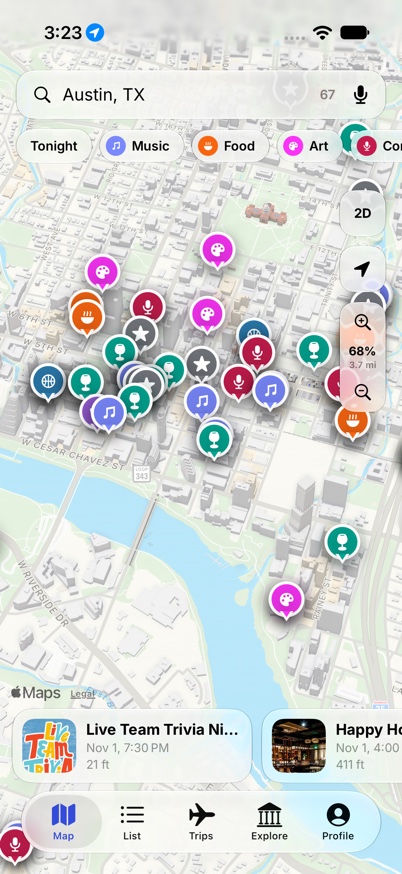
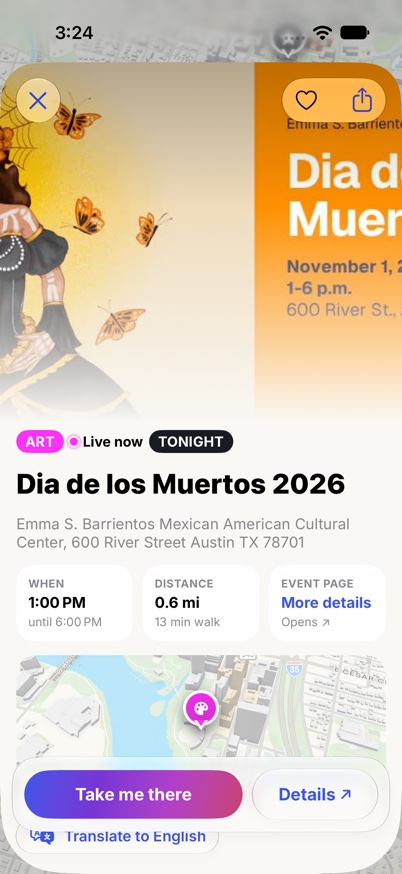
Be there: check in, rate, post stories, get directions and reminders.
Android
The full phone app on Google Play, with home-screen widgets and reminders.
Web
Plan and wonder: spin the globe, explore any city, throw a dart.
Ray-Ban Display web app
XploreR in the glasses' browser, or any browser. Nothing to install.
Open the web app →XploreR app for Ray-Ban Display
The full glasses app, through the Meta AI app on iPhone. In testing now; out for everyone once Meta approves it.
Snap Spectacles
Explore in space: a 3D map you can reach out and touch.
Everything happening, in your pocket
The full XploreR experience: the live map and list, flames, photos and videos from people at the venue, Take me there, trips, Explore, widgets and reminders.
- Built natively for iPhone and for Android
- Home-screen widgets for tonight's picks, saved events or your next trip
- Android: coming soon to Google Play, with the same map, trips, flames, reminders and widgets
- One account on both, so your saves and trips follow you if you switch phones
Glance and go
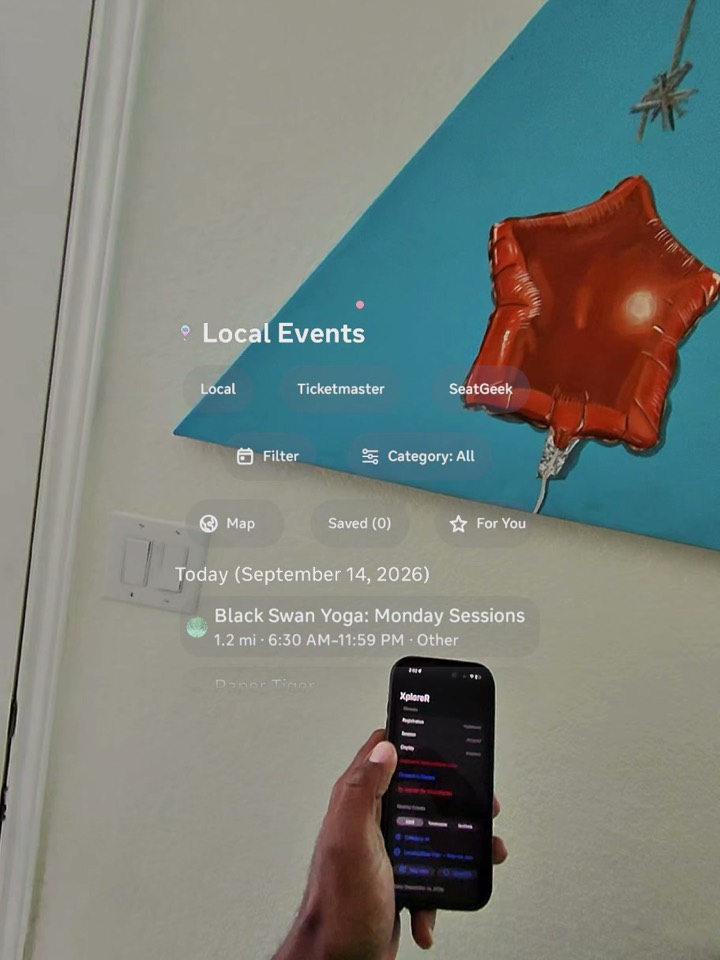
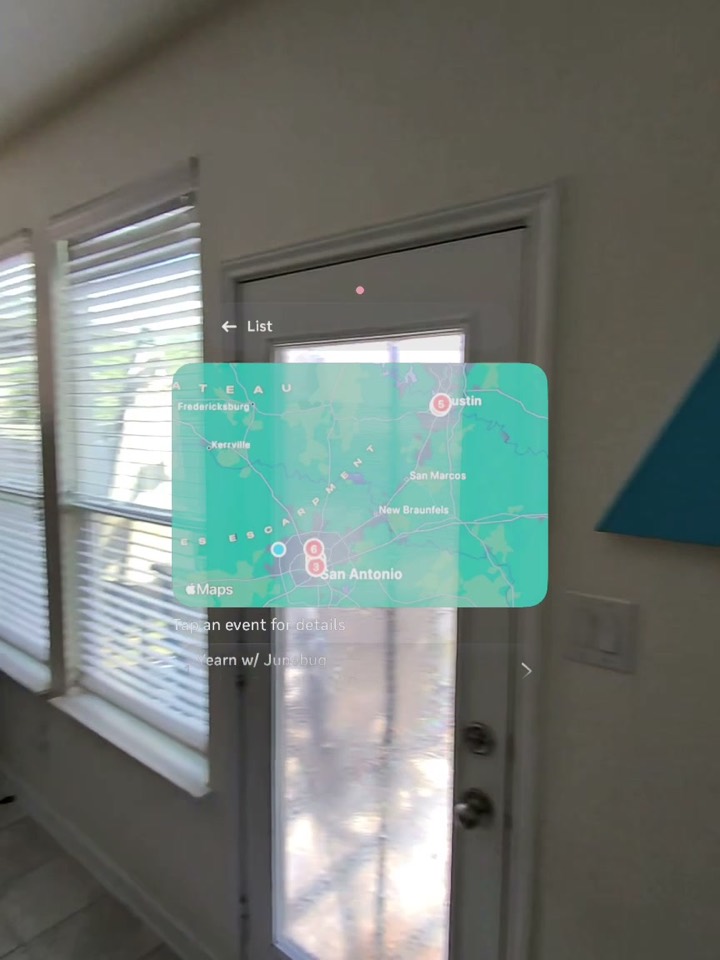
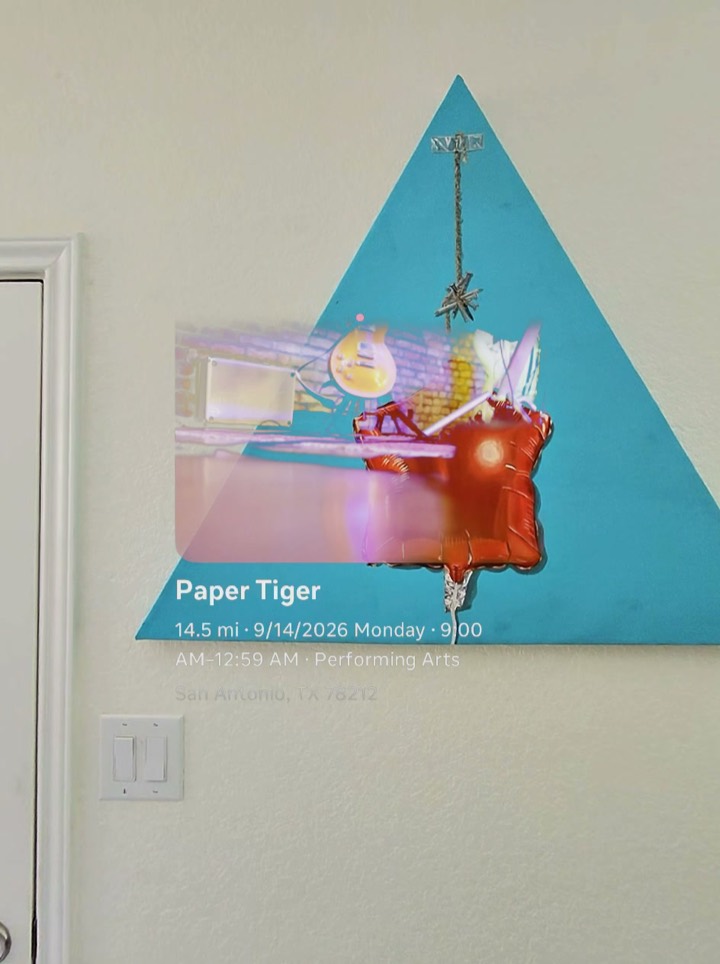
XploreR on Meta Ray-Ban Display shows what's on around you in the lens, so you can keep your phone in your pocket and your eyes on the street.
- Local events nearby, with distance, time and category at a glance
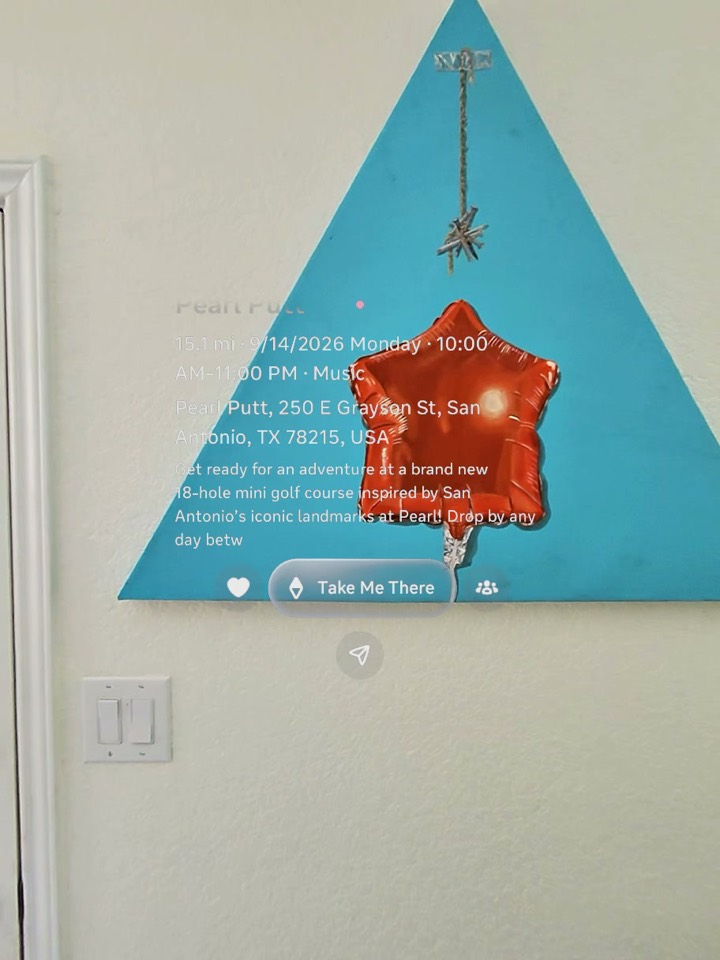
- Event cards with the venue, address and a short description
- Take Me There starts directions right from the card
- Map view of what's happening around you
- Controlled with the Meta Neural Band: swipe to move, pinch to choose
Photos on this page are real captures through the display.
Try it today, or get the full app
Web app
A lighter version that runs in a browser: on the glasses, on your phone or on a computer.
- Nearby events from local listings, Ticketmaster and SeatGeek, with filters
- Saved events and For You, Explore This Area, photos from the venue
- Directions open in Google Maps; Uber and Lyft links
On the glasses: Meta AI app → Developer Mode → App Settings → Apps → Web Apps → Connect Web App, then paste the link.
Full XploreR app
The complete experience, built for the glasses and run from the Meta AI app on iPhone.
- Everything in the web app, plus turn-by-turn walking directions with a head-tracking arrow
- Event reminders, voice search and a map snapshot
- "Hey Meta, open XploreR"
In testing with invited testers. It will be available to everyone with Ray-Ban Display once Meta approves it.
A map you can reach out and touch
On Spectacles, XploreR becomes spatial. A floating "event table" sits in front of you with a 3D map of the city.
- Grab, scale and rotate the map with two hands
- Point and pinch a pin to open its details
- Pin cards around the room: pull an event off the map and leave it where you like
- Spatial compass: a floating arrow points toward the venue in the real world, with the distance
One XploreR, every device
The same events, the same flames and the same map on every screen. One account already carries your saved events, trips and interests between iPhone, Android and the web.
Plan on the web
Throw a dart at lunch and pick a couple of events.
Walk with your glasses
Distance and directions in the lens as you head out.
Share from your phone
Rate it and post a story from the venue for everyone else.
Start with the live map
No download needed.